

Built for Forum
Leaders

Who Need Visibility
Every feature in Chapter OS was designed hand-in-hand with real forum chairs, moderators, and EO administrators.
It’s not a community app—it’s your forum command center.

Features
Accountability
Stay on top of member progress:

Set and track individual and group goals
Monitor monthly and yearly performance
Keep members aligned and accountable

Features
Scheduling
Manage meetings with ease:
Schedule and organize upcoming sessions
Keep all members informed and aligned
Maintain a clear, centralized calendar

Features
Roles
Define responsibilities clearly:
Assign roles to forum members
Ensure smooth coordination and structure
Maintain clarity across the team

Features
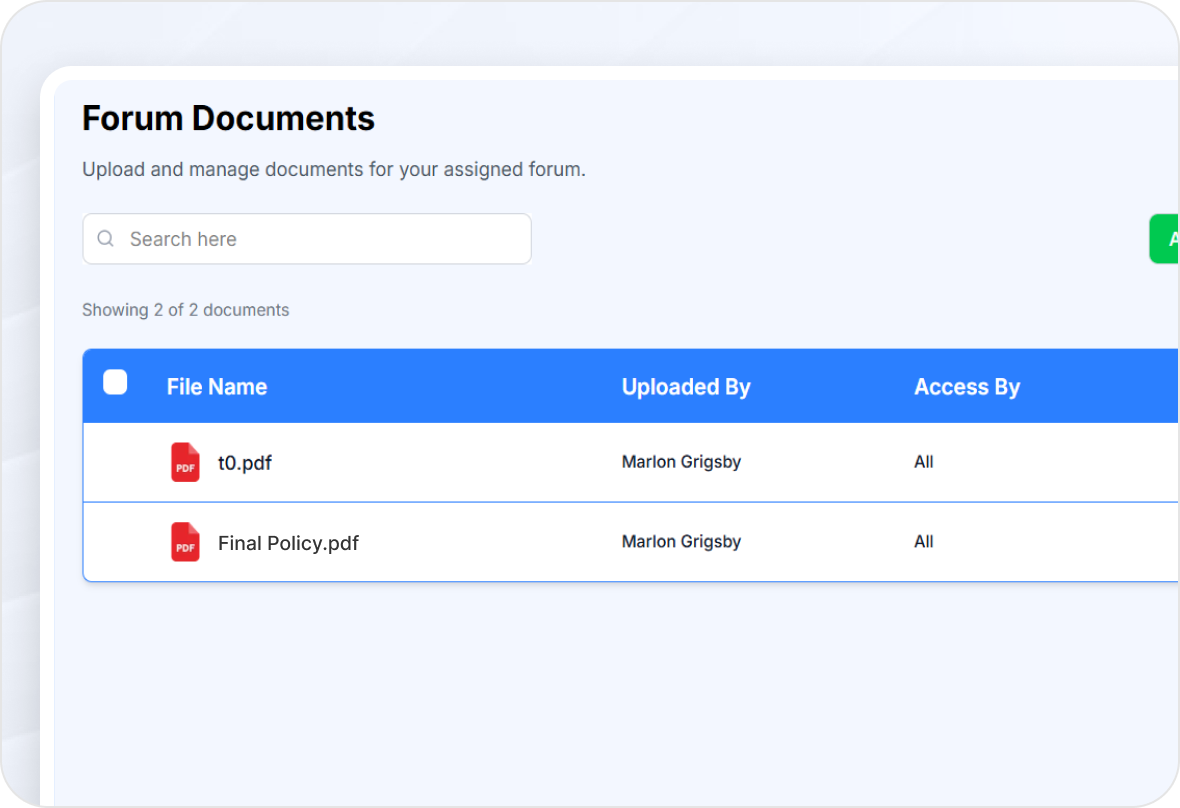
Documents
Keep resources in one place:
Share important files with members
Access documents anytime, anywhere
Maintain a centralized document library
Features
Agenda
Plan meetings effectively:
Set topics for upcoming discussions
Keep meetings structured and focused
Ensure productive and goal-driven sessions

Features
Parking Lot
Capture ideas for later:
Save discussion points for future meetings
Avoid missing important topics
Keep conversations organized over time

Less Guesswork for Board Members.
Better Results for Your Chapter
Better Results for Your Chapter
Save Board Members Time | Improve Execution | Elevate the Member Experience
Every year, new volunteer board members spend four to six months learning their roles—nearly half their term. Chapter OS removes the guesswork for Membership, Member Engagement, and Forum leaders by turning chapter procedures into clear, streamlined workflows. Volunteers
know what to do, when to do it, and how to do it without sacrificing valuable business or family time. The result is happier board members, stronger engagement, healthier forums, and a better- performing chapter. That’s Chapter OS.
know what to do, when to do it, and how to do it without sacrificing valuable business or family time. The result is happier board members, stronger engagement, healthier forums, and a better- performing chapter. That’s Chapter OS.
Schedule a Demo Call

© 2026 Chapter OS. All Rights Reserved.