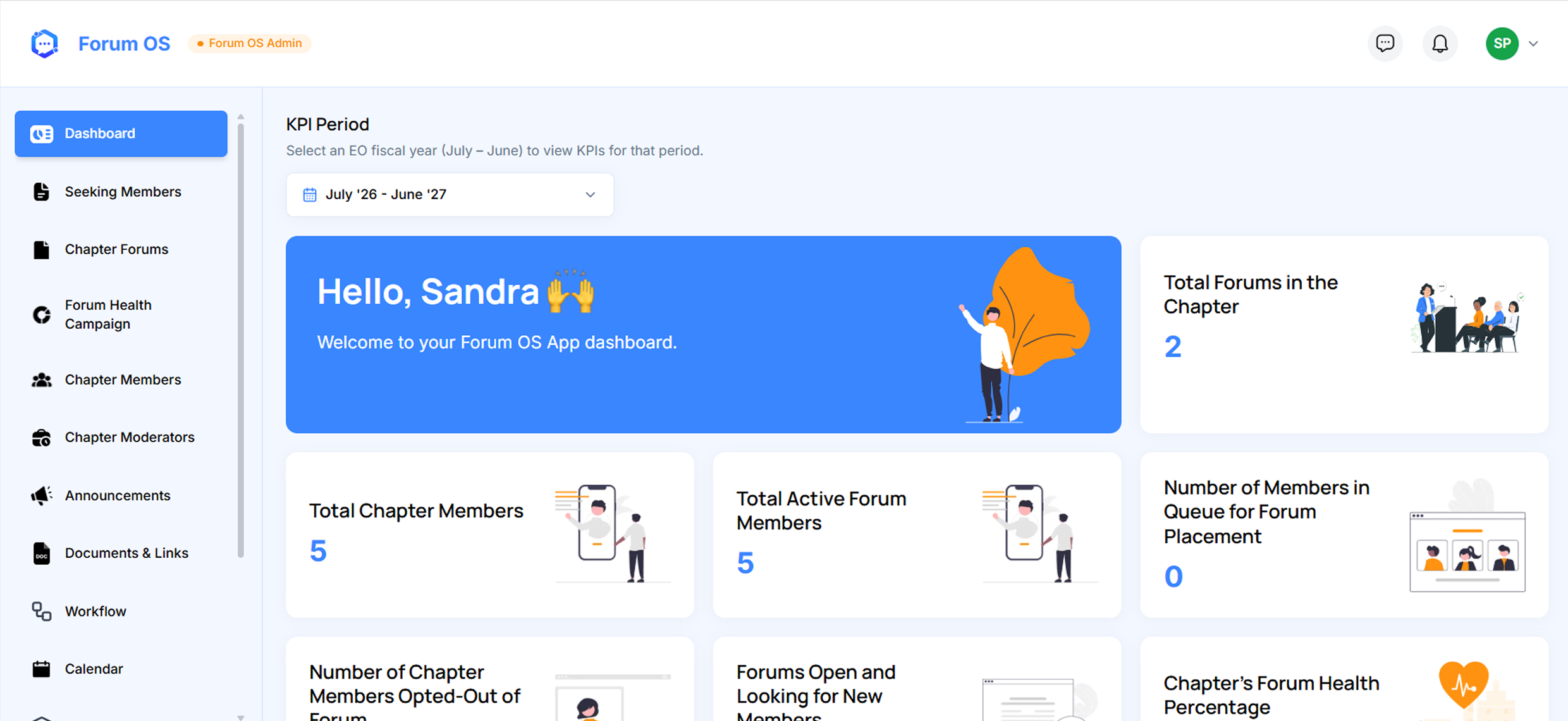
The Forum OS App is the main application module inside a chapter the forum engine for entrepreneur peer-group chapters running monthly meetings under a moderator.
Forums, Meetings, Placement.All in One Place.
Forum Management
Create, organize, and oversee every forum in your chapter with full lifecycle control.
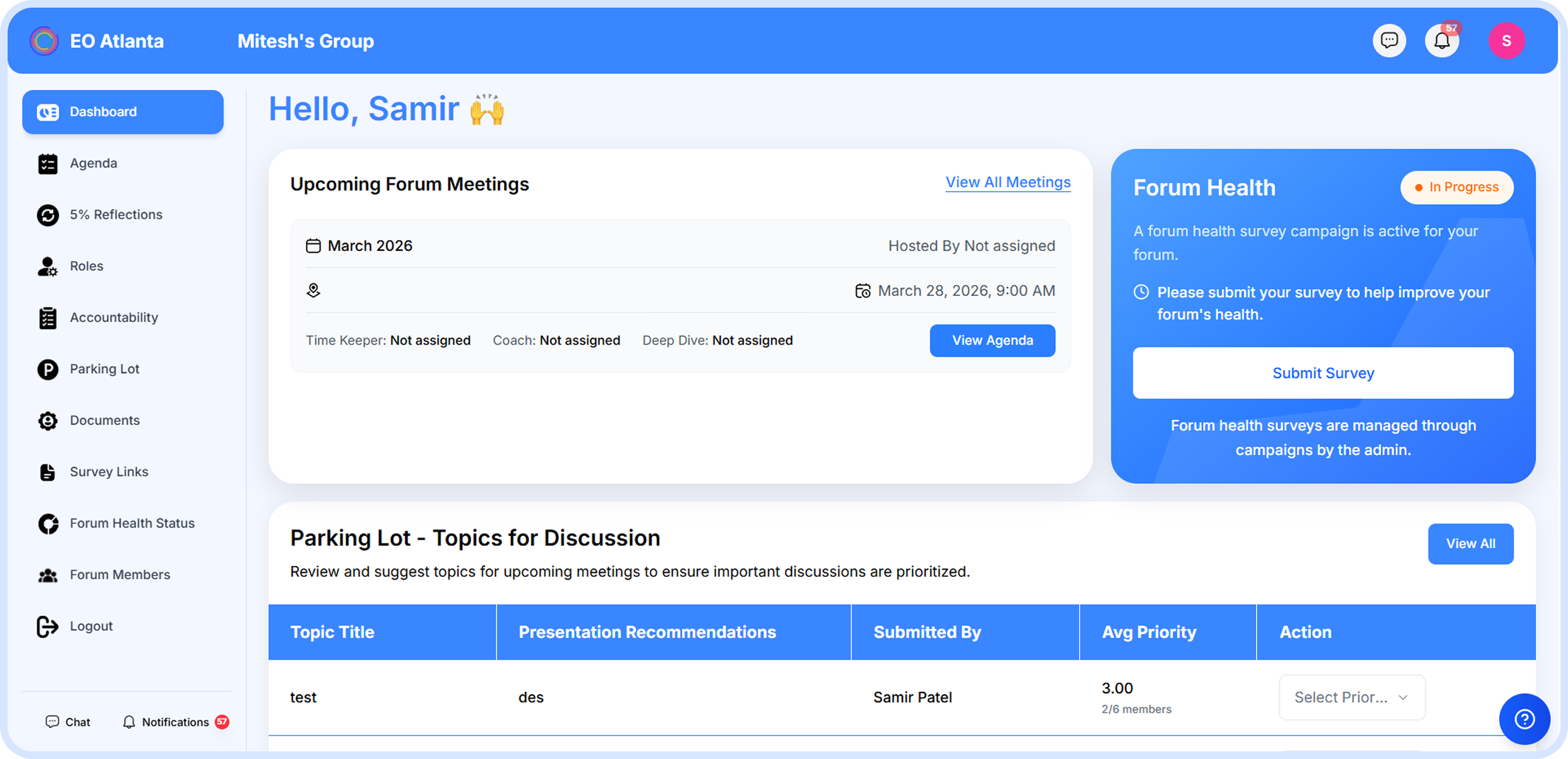
Monthly Meetings
Agendas, 5% reflections, accountability goals, and a parking lot — all in one meeting flow.
Seeking & Placement
Match seeking members to the right forum with AI scoring, intro meetings, and a tracked pipeline.
Create, organize, and oversee every forum in your chapter.
Create forums with unique names, auto-generated slugs, and optional images
Titles raise your floor, the calendar sets your ceiling
Four status bands: Active, Slipping, At Risk, and Onboarding
Features
Monthly Meetings
The heart of every forum — scheduled, structured, complete.
Build non-overlapping agendas from templates or the parking lot
Track attendance as On-Time, Present, Late, Excused, or No Show
Capture 5% reflections, accountability goals, and deep dives
Features
Seeking Members & Placement
From first contact to the right forum seat.
Invite members individually or bulk-upload via CSV
Run AI-ranked compatibility scoring across eligible forums
Track candidates through survey, intro meeting, and 90-day follow-up
Features
Forum Health Campaigns
Measure forum health with EO's standardized survey.
Run chapter-wide campaigns with AI-scored results from 0 to 100
View strengths, areas to improve, and recommendations per forum
Monitor the Chapter Forum Health Score across all forums
Features
Reports & Insights
Turn forum data into actionable decisions.
Visualize member distribution and forum health trends
Cross-forum reports on attendance, engagement, and growth
Privacy-controlled — sits behind its own permission keyExport data for board reports and quarterly reviews
Everything You Need to Know About Member Engagement
What does Forum OS help our chapter manage?
Forum OS is the flagship module — it manages forums, monthly meetings, member onboarding and placement, health campaigns, surveys, reports, and the full seeking-to-placed pipeline.
How does AI compatibility scoring work?
One comparative model call ranks a candidate against every eligible forum using both sides' actual survey answers plus the moderator's overview. Output per forum: a 0–100 score, top reasons, and critical mismatches. A moderator sees only their own forum's score.
How does member placement into forums work?
A seeking member fills a Forum Preferences survey, the committee reviews and shares them with a forum's moderator, both sides meet and give feedback, and the committee places the member. The full pipeline tracks every stage from survey to placement.
What happens during a monthly forum meeting?
Each meeting has a non-overlapping agenda, attendees, 5% reflections with four domains and ratings, accountability goals, and a parking lot that snapshots itself monthly. Concurrent-edit protection ensures no one overwrites another's work.
How are forum health campaigns and surveys used?
Health campaigns run periodic surveys across selected forums — one primary survey per feature with versioned templates and per-response version stamping. AI scores each forum 0–100 with strengths, areas for improvement, and recommendations.
Keep Every Member Engaged
From engagement scoring and QR event check-in to the four automatic watch-lists that catch slipping members before they disengage — Member Engagement OS holds the board accountable to its annual plan.






.png)
.png)
.png)
.png)
.png)





.png)
.png)


