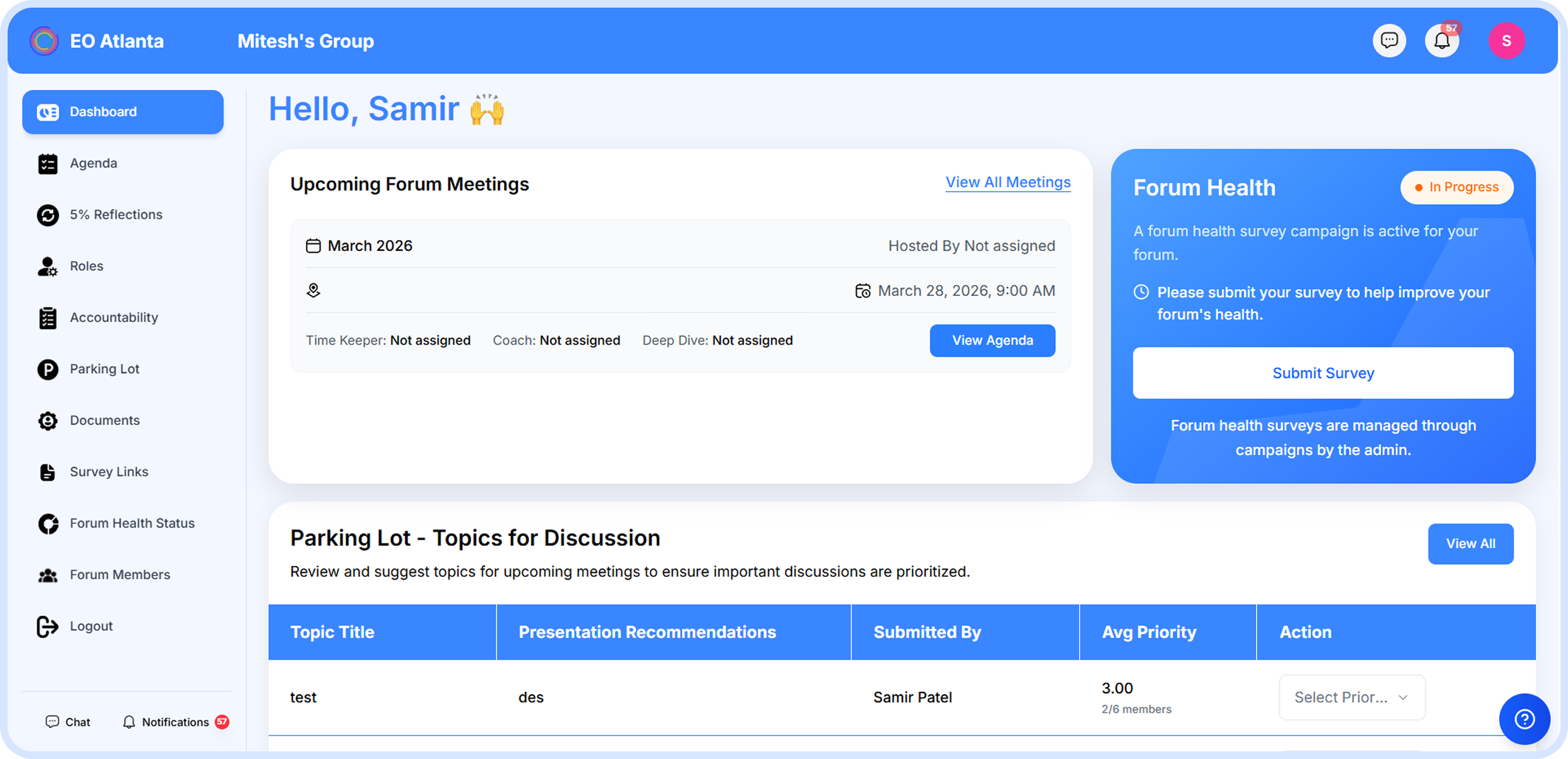
Member Engagement OS is where a chapter measures and protects the health of its existing membership, scoring every active member on a single, explainable engagement percentage.
Know Who Is Engaged. Know Who Needs You.
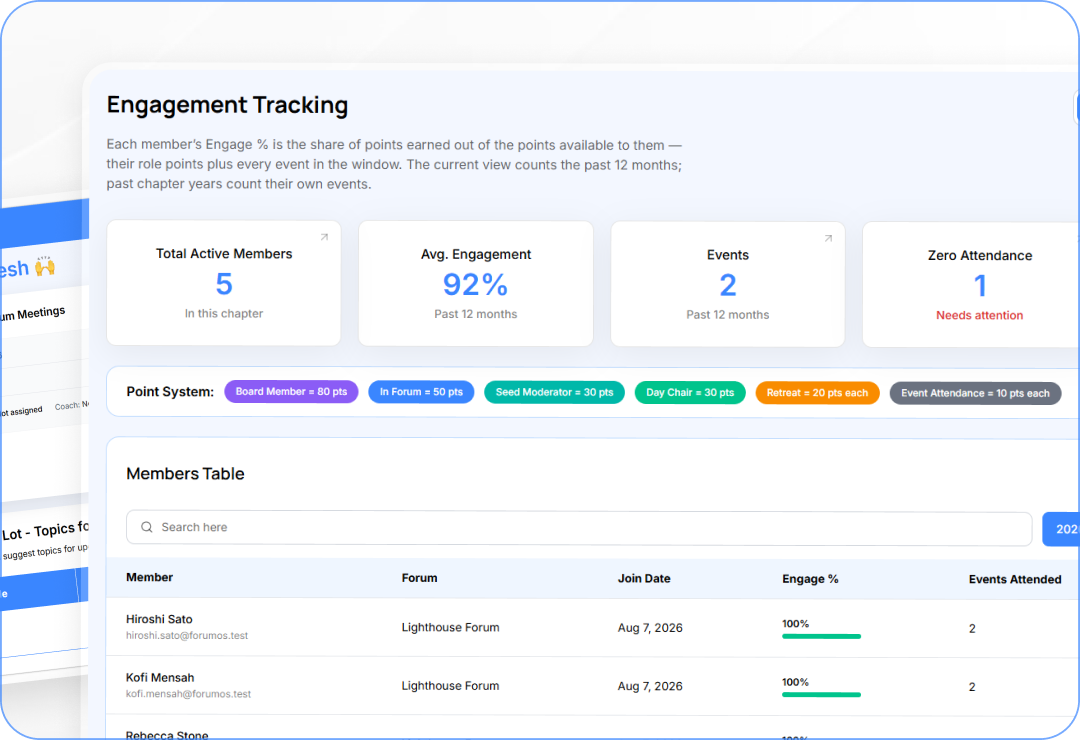
Engagement Scoring
Score every active member on a single, explainable engagement percentage.
Automated Watch-Lists
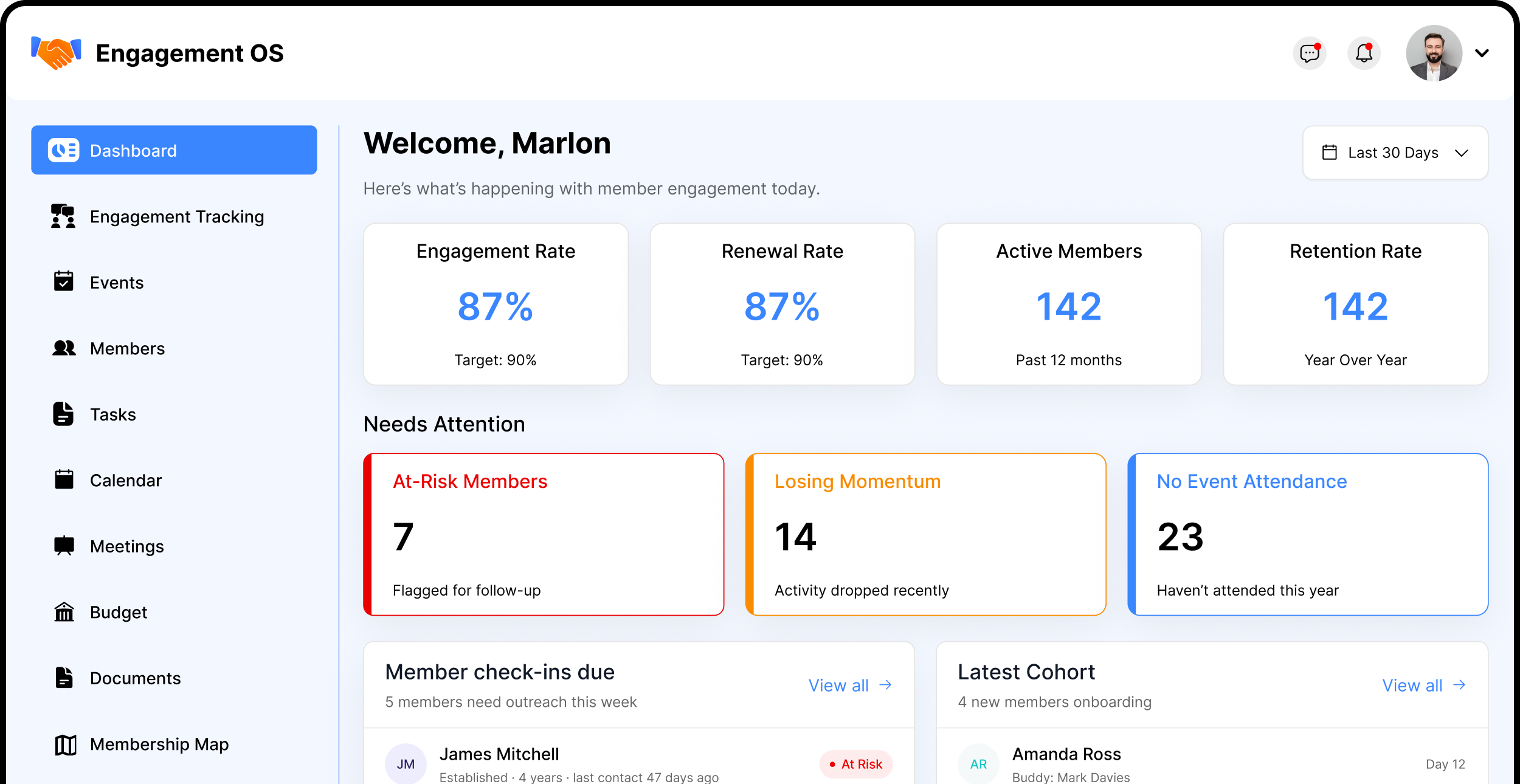
Four automatic watch-lists that flag at-risk members before they disengage.
Board Accountability
Track quarterly goals, assign owners, and measure progress.
Titles raise your floor, the calendar sets your ceiling
Four status bands: Active, Slipping, At Risk, and Onboarding
Features
Events Check-In
Track chapter events and who attended.
Schedule standard events and retreats with attendance tracking
Generate a QR code members scan to check in on their phone
Projector display shows a live counter and giant QR on screen
Features
The Four Watch-Lists
Nobody falls through the cracks.
Member Check-Ins — flagged members to follow up before renewal
Losing Momentum — live Engage % vs last week's baseline, drops first
Zero Attendance — no events recorded in the past 12 months
Features
Latest Cohort & Buddies
Design the first 90 days for every new member.
Derived cohort from join date — newest members first with Day N counter
Assign a buddy from established members in the same forum
Graduation celebration after 90 days with their Engage % at completion
Features
Membership Map
See where your chapter members are located.
Geographic map with avatar pins and forum badges per member
Bulk-import addresses via CSV with forgiving column matching
Privacy-controlled — sits behind its own permission key
Features
Moderators Check-Ins
Track check-ins with every forum moderator.
One card per forum — 'Checked in' date and optional note
30-day freshness window and coverage stats per moderator
Each forum's latest AI Forum Health Score shown beside the log
Features
Board Tracker
Track quarterly goals, success metrics, and board progress.
Set quarterly goals and track progress across the chapter board
Assign board members to goals with status tracking
Role-based access scoped to the engagement committee
Features
Resources & Links
Save and organize links to share with members when asked.
Fixed category set: Hubspot, Tools, Internal, Training, Other
HTTP and HTTPS links only — missing scheme auto-added
Shared library accessible to committee members across the module
Everything You Need to Know About Member Engagement
What does Member Engagement OS help our chapter manage?
It helps engagement committees track member participation, events, attendance, follow-ups, newcomers, and engagement health in one place.
How does Member Engagement OS identify members who need attention?
Automatic watch-lists highlight members who Need Follow-Up, Are Losing Momentum, or Have No Event Attendance, helping the committee take action early.
How is member engagement measured?
Each active member receives an Engage %, calculated as the share of points earned versus points available based on their roles and event participation.
How does the first 90 days of membership work?
New members are tracked as a dedicated First 90 Days cohort, with a buddy, day counter, progress tracking, and a graduation moment.
Can members check in to events digitally?
Yes. Events support QR self-check-in with a live projector display, making attendance quick while feeding participation data into engagement tracking.
Keep Every Member Engaged
From engagement scoring and QR event check-in to the four automatic watch-lists that catch slipping members before they disengage — Member Engagement OS holds the board accountable to its annual plan.






.png)
.png)
.png)
.png)
.png)
.png)
.png)





.png)
.png)


